cloud dev tools

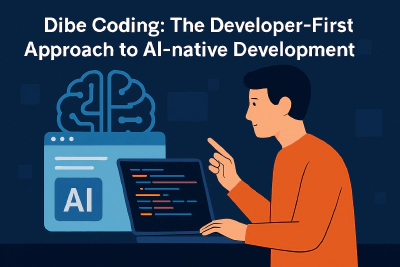
Dibe Coding: The Developer-First Approach to AI-native Development

Thursday, April 3, 2025 - 03:56 by Jonas Helming

Curious how AI can supercharge your development without taking over? This article introduces Dibe Coding—a practical, developer-first approach that blends structured AI assistance with full human control, perfect for real-world codebases and enterprise teams. Discover how to collaborate with AI like a true teammate, not just a tool.

Theia AI Change Sets: Managing Complex AI Change Suggestions

Tuesday, April 1, 2025 - 09:28 by Jonas Helming

🔧 Tired of AI suggestions cluttering your dev chat? Theia AI Change Sets introduces a sleek way to manage and apply complex AI-generated changes across files and models—all in one organized, reviewable view.

Whether you're building a custom IDE or domain-specific tool, this feature empowers tool builders with domain-specific, flexible change tracking.

Web-based tools - built with Eclipse - Cloud Tool Time (Maximilian Koegel)

Are you looking to build a web-based IDE, a modeling tool or a domain-specific tool? Do you need domain-specific editors, diagrams, textual DSLs, code generators or graphical visualizations? Do you want to learn about current best practices and technologies available from the Eclipse ecosystem to support your project? Then join this talk, see the solutions in action and try it yourself!

Low-Code Development with Eclipse Dirigible - Cloud Tool Time (Yordan Pavlov)

Low-code development is a visual way of application development. Low-code allows developers with various experience levels to create web and mobile applications, using drag-and-drop to model application components. There are two major ways for low-code development at the moment: - Business Process Modeling (BPM) - Model Driven Architecture (MDA) Let's see how a full-stack application can be developed with Eclipse Dirigible, while using low-code techniques.

Eclipse Che & GitHub Codespaces - Cloud Tool Time (Mario Loriedo)

GitHub Codespaces [1] is a new VS Code based project that GitHub is currently rolling out as a limited beta and will then become a commercial product. The client side of a codespace runs in the browser and the server side in a container and that’s how a Che workspace works too! Developers start a codespace clicking on a button of a GitHub repository and Che workspaces are started with a single click on a web link too! Codespaces and Che may, at first glance, look like two applications that solve the same problem.